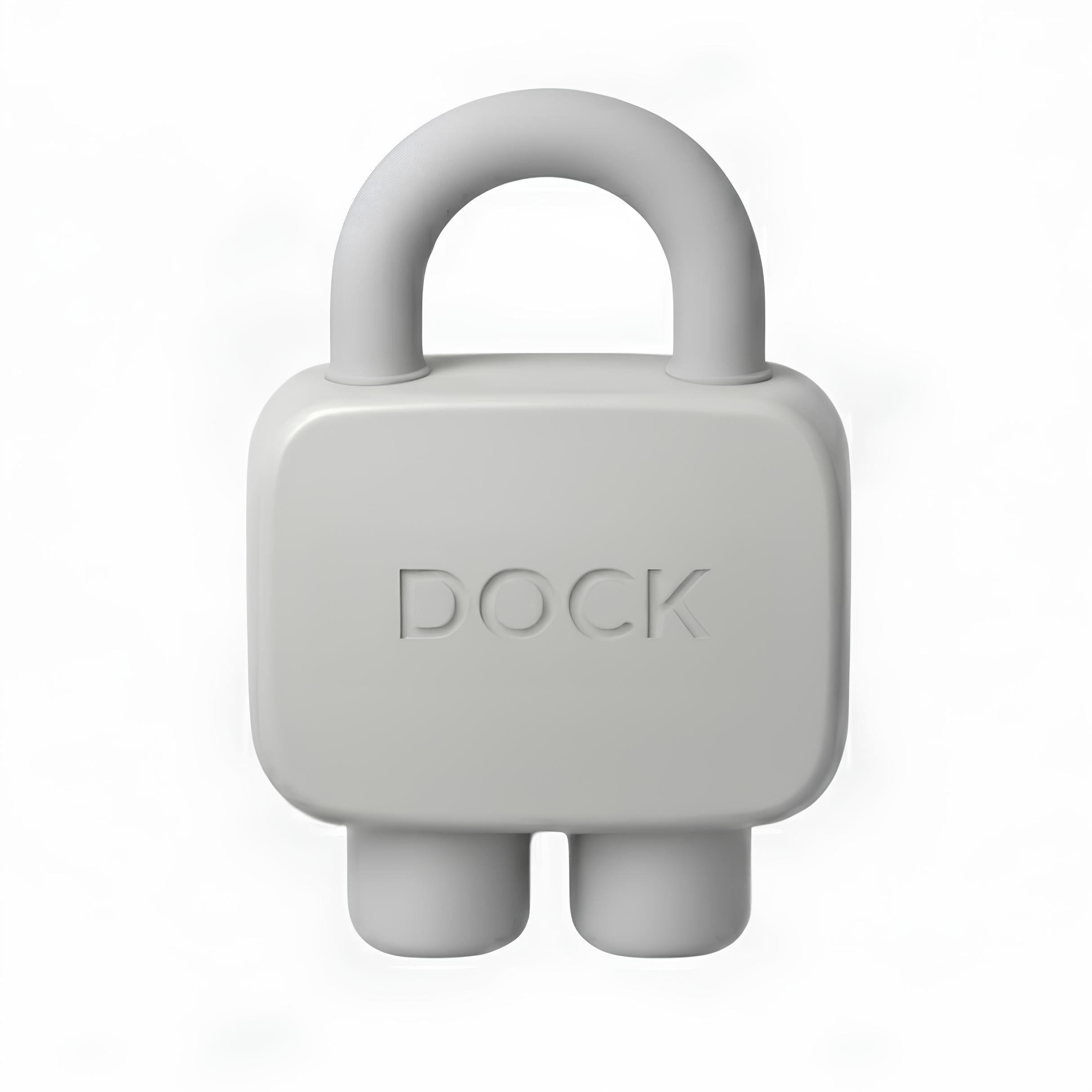
2 Hours Back, Everyday.
Leave your distractions at the Dock. One tap locks your apps, another brings them back.

(We expect to be) seen on:


Why did we create DOCK?
Watch this quick video to see how a simple step can help you regain control and escape a screen addiction you may not even be aware of.

Step 1 : Choose apps to block
Open the Dock app and choose which apps or websites you want to block.
Prefer the opposite? You can instead select which apps to keep accessible - all other apps will be blocked.
You can create multiple custom modes for different parts of your day like Work, Family Time, or Study. Each mode has its own set
of blocked apps.
Step 2 : Tap your DOCK with your phone
Once you've selected a mode, tap your phone to the Dock to activate it.
Or, if you're not near your Dock, tap and hold the Brick button in the app to enable Brick Mode from anywhere.
As soon as you're Docked, a timer starts - helping you track how long you stay focused.
Step 3 : Get free of distractions
Place your Dock somewhere out of reach.
Because Dock is a physical device - not just an app - it creates real friction.
To unblock your apps, you have to physically return to it, making the decision to reconnect an intentional one.
Step 4 : Tap again to access your apps
When you're ready, simply tap your phone to the Dock again to regain access to your apps and websites.
Need emergency access? Each device includes 5 emergency undocks that you can activate in the app to regain access.
Why is

so efficient?
Because it’s built on three proven scientific principles. Regaining control of your phone, instead of letting it control you, unlocks powerful benefits across three key areas of your life.

Dopamine Addiction
Tap to learn how DOCK helps you to get back your focus
People unlock their phone 200+ times a day. You might read that and think: “No way, not me.” And yet, it happens because of dopamine. The moment your brain gets bored, it starts chasing a small shot of pleasure: a notification, a message, a story…

Bad Habits
Tap to see how DOCK will help you get more time
Dopamine addiction isn’t the only reason you unlock your phone without thinking, habit plays a major role. Even if you fix the dopamine issue, the bad habits remain, making it hard to focus on a single task. Duck helps you gradually break those habits and retrain your focus.

Decision Fatigue
Tap to see how DOCK will help you take better decisions
Your brain has a limited amount of energy and decisions it can make each day. Reducing phone interactions doesn’t just improve focus, it preserves mental energy for what truly matters, helping you work more efficiently, learn faster, and act quicker.
Dopamine Addiction
Tap to learn how DOCK helps you to get back your focus
People unlock their phone 200+ times a day. You might read that and think: “No way, not me.” And yet, it happens because of dopamine. The moment your brain gets bored, it starts chasing a small shot of pleasure: a notification, a message, a story…
Bad Habits
Tap to see how DOCK will help you get more time
Dopamine addiction isn’t the only reason you unlock your phone without thinking, habit plays a major role. Even if you fix the dopamine issue, the bad habits remain, making it hard to focus on a single task. Duck helps you gradually break those habits and retrain your focus.
Decision Fatigue
Tap to see how DOCK will help you take better decisions
Your brain has a limited amount of energy and decisions it can make each day. Reducing phone interactions doesn’t just improve focus, it preserves mental energy for what truly matters, helping you work more efficiently, learn faster, and act quicker.
Why should I use DOCK?
Some use it to be more productive, others to enjoy quality time with their family,
or to sleep better. Whatever the reason, it helps you take back control.


What Makes Dock Different?
Traditional screen time tools fail because the override is always just a tap away. Dock changes that. By leaving your Dock behind, you create distance between yourself and your distracting apps, keeping them out of reach until you consciously, and physically, choose to unlock them.
FAQs
How is DOCK different from Apple’s or Android’s built-in parental controls?
Apple and Android’s built-in controls are software-based. In practice, they’re easy to override: one tap on “skip”, a quick setting change, and you’re back to scrolling.
DOCK works differently. It introduces a physical step. To unlock your apps, you must intentionally tap your phone on the DOCK again.
This small friction is powerful: it reinforces conscious choice. You still can access your apps when you truly need to, but when you don’t, you pause, reflect, and often decide not to.
This mechanism is backed by behavioral science: adding a physical action dramatically reduces impulsive behavior while preserving freedom.
Can’t I just uninstall the app or bypass the system?
We’ve all tried to outsmart our own limits , that’s exactly why DOCK exists.
DOCK includes a strict protection mode designed to prevent common workarounds, such as deleting the app or modifying key settings to disable restrictions.
The goal isn’t punishment, it’s consistency. DOCK closes the loopholes so your intention actually holds.
What’s included when I purchase DOCK?
Your purchase includes:
- The DOCK physical object
- Full access to the DOCK app
There are no subscriptions, no hidden fees, and no paid upgrades.
Buy it once. Use it for as long as you want.
Can one DOCK be used with multiple phones?
Yes. One DOCK can be paired with multiple phones if needed.
Likewise, a single phone can work with multiple DOCK objects, for example, one at home, one at work, or one in your car.
DOCK is designed to adapt to real life, not the other way around.
What happens if I lose my DOCK?
Life happens. That’s why the app includes a limited number of emergency unlocks.
If your DOEK is lost or temporarily inaccessible, these emergency options allow you to regain access to your apps.
They’re intentionally limited to preserve the effectiveness of the system.
Is my phone compatible with DOCK?
DOCK is compatible with:
- Android devices running Android 12 or later
- iPhones running iOS 16.2 or later
We’re continuously improving compatibility as operating systems evolve
You are one